See who doesn’t follow you back
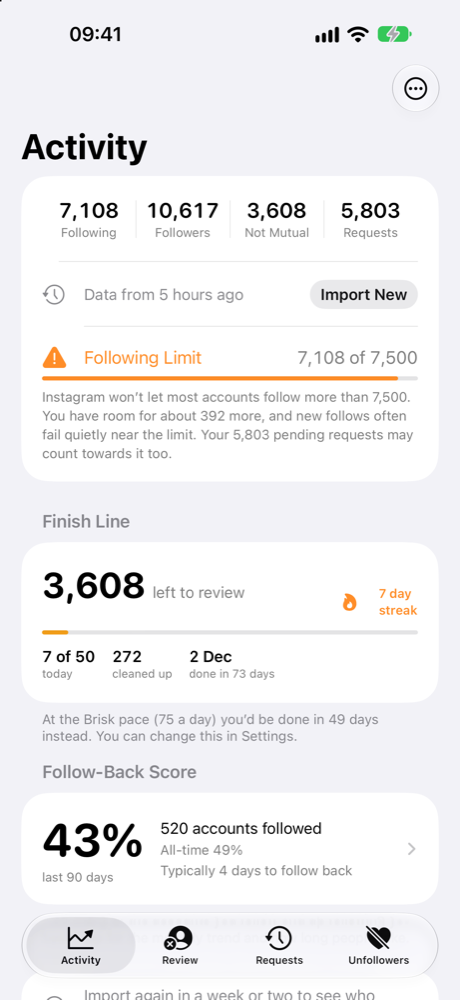
Followell reads the data export Instagram already gives you and shows you exactly who isn’t following back — without ever asking for your password.
Coming soon to the App Store · iPhone
How it works
Three steps, and you never hand your account to anyone.
Export from Instagram
Instagram lets you download a copy of your own data. Followell keeps each step on your Lock Screen while you do it, so you never lose your place.
Import the file
Point Followell at your Downloads folder and it finds the export for you. Everything is read on your iPhone, in a second or two, even for thousands of accounts.
Review at a safe pace
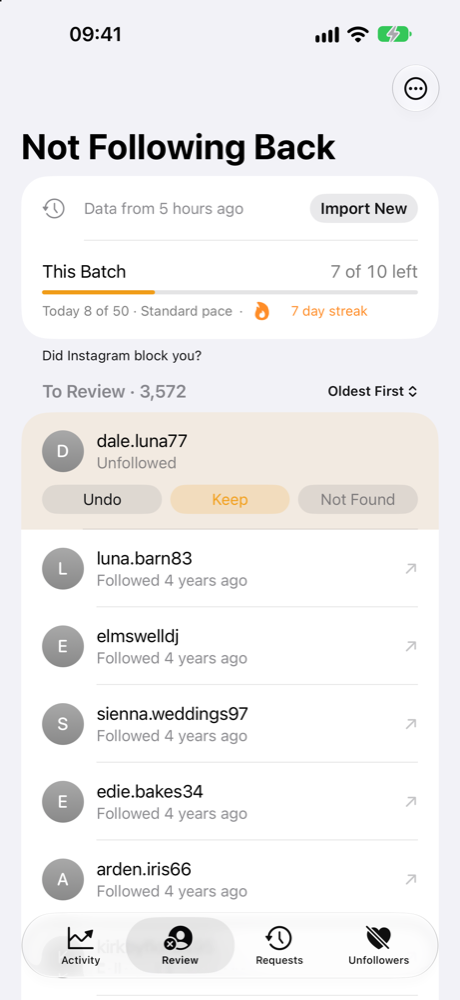
Tap an account, unfollow it in Instagram, and it leaves your list. Followell works in small batches with breaks, because bulk unfollowing is what gets accounts blocked.
What you get
The things the other apps leave out.
A list that shrinks
Accounts leave the list once you’ve dealt with them, so every pass is shorter than the last.
A permanent whitelist
Star the accounts you’ll never unfollow — friends, brands, clients — and stop seeing them.
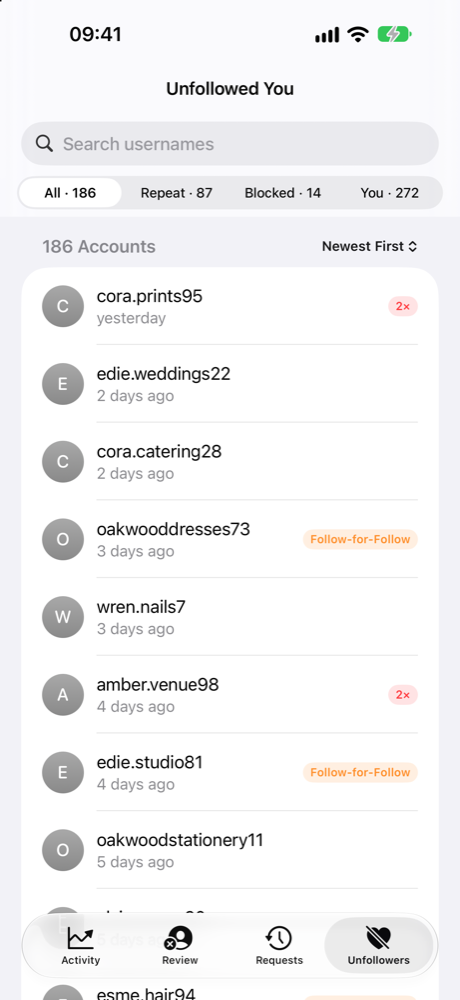
Who unfollowed you
Each import is compared to the last. Repeat offenders and follow-for-follow accounts get flagged.
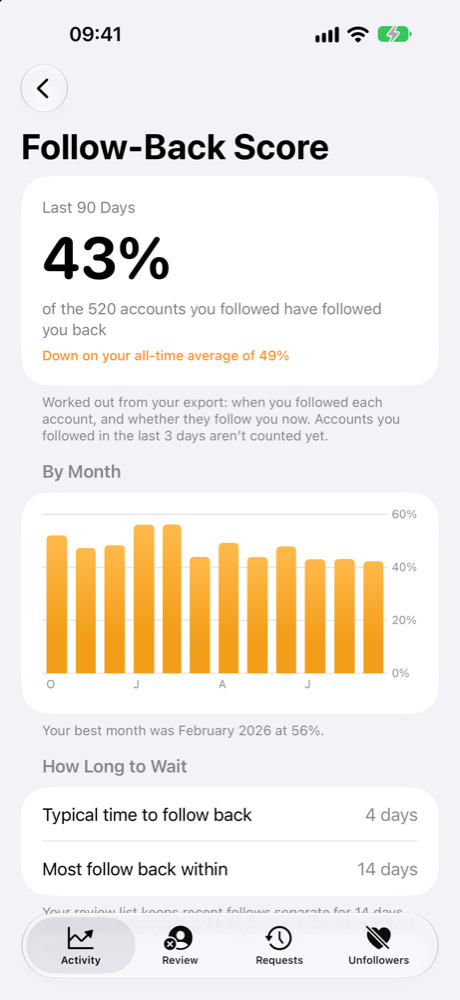
Your Follow-Back Score
What share of the people you follow ever follow back, month by month, and how long they take.
Stale follow requests
Requests sent years ago still count against Instagram’s following limit. Find them and clear them.
Widgets and Siri
Your numbers on the Home Screen and Lock Screen, or just ask Siri how many don’t follow you back.
Private by design
This is the part most follower apps get wrong.
- No Instagram login. Followell never asks for your password and never connects to your account. Apps that ask you to log in can get your account restricted.
- Nothing is uploaded. Your export is read on your iPhone. There is no Followell server holding your followers, because there is no Followell server.
- No account, no tracking. No sign-up, no analytics, no advertising.
- It never acts for you. Followell doesn’t follow or unfollow anyone. Every unfollow is your own tap, inside Instagram.
Pricing
Try it properly before you pay for anything.
Free
- Your full list of who doesn’t follow back
- The guided export and automatic import
- Safe pacing and daily limits
- Your first 50 unfollows
Followell Pro
- Unlimited unfollows
- Who unfollowed you, and who does it repeatedly
- Whitelist labels and the Follow-Back Score
- Export your lists to a spreadsheet
- iCloud backup of your decisions
Questions
The ones worth asking before you install any follower app.
Do I have to give Followell my Instagram password?
No, and you never should. Followell has no login screen at all. It reads the data export Instagram provides to you, which you download yourself from Instagram’s own settings.
Is it safe to use? Can my account get banned?
Followell doesn’t connect to Instagram, so it can’t do anything to your account. The risk with follower apps comes from two things: handing over your password, and bulk unfollowing. Followell does neither. Every unfollow is a tap you make in Instagram, and Followell paces those into small batches with breaks, because unfollowing hundreds of accounts in a few minutes is what triggers a temporary block.
How do I get my Instagram data export?
In Instagram: Settings and activity → Accounts Centre → Your information and permissions → Download your information. Choose your Instagram profile, select Followers and following, and pick JSON. Instagram emails you a file, usually within minutes. Followell guides you through every step on your Lock Screen while you do it, and can spot the file in your Downloads folder when it arrives.
Can Followell unfollow people for me?
No. Nothing that automates Instagram is allowed on the App Store, and automation is exactly what gets accounts restricted. Followell tells you who to unfollow and keeps track of where you got to; you do the tapping.
How often do I need to import?
Your export is a snapshot. Importing again every few weeks keeps the list accurate and is what lets Followell tell you who has unfollowed you since. Followell can remind you when your data is about a month old.
Does it work with large accounts?
Yes. Followell has been tested on accounts following over 7,000 people, with more than 10,000 followers and thousands of pending requests. An import takes a couple of seconds.
Is there an Android version?
Not yet. Followell is built natively for iPhone.